When an error occurs and the schedule cannot be displayed
Prerequisites for handling errors 1
If an error occurs, an error message is stored on the device. If you contact the developer through the feedback in the app, the error message stored on the device will be sent to the developer.
In addition, if there is an unknown error or a fatal error, the process of automatically sending the error details to the developer is executed. The developer checks the result, corrects it, and updates it within a few days. If it is not urgent, please wait for a while and it may be corrected.
Prerequisites for handling errors 2
OnefuncPlan operates by separating "server-side data" and "device-side data". Even if the Onefunc server loses data due to some kind of disaster, it is not an error on the device you have, so your schedule data will not be lost. For more information, please see this page (About Backup).
Update program files (Android, Web)
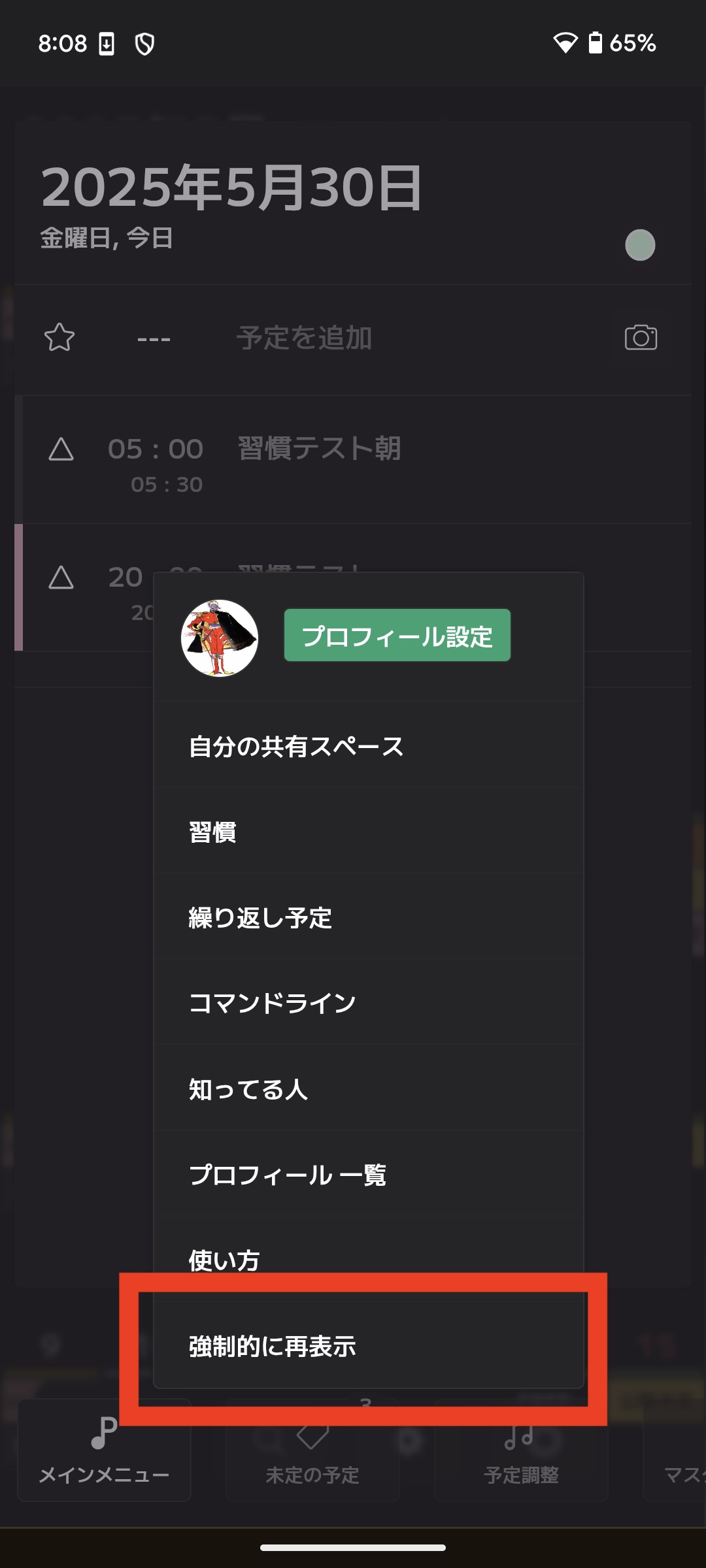
There is an item called "Force Redisplay" in the main menu. Selecting this will update the program files to the latest version. Please try this.
Update program files (macOS)
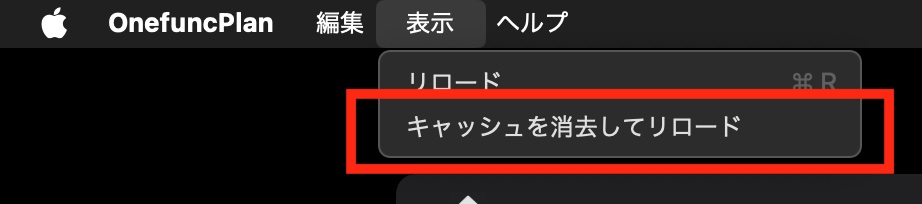
Please try "Clear cache and reload".
Contact Support
Please contact us through the "Contact Us" option within the app.
*Please contact us from within the app. When you contact us from within the app, the "error message within the app" will also be sent to the developer, which will help us find the problem faster.